
Rosetta Stone Review: 25 Languages, One Plan
We priced both plans from a US connection, went through the checkout up to the card field, opened a free Japanese lesson, and read the help center, privacy policy, and App Store reviews.

Rosetta Stone pays off if you learn well from pictures and sound and want all the Rosetta Stone languages on one plan for $13.25 a month, billed yearly. Skip it if you need grammar explained in English, offline lessons, or a speech checker you can trust. The web plan buys the new Sapphire app, not Classic.
On this page
- How we scored Rosetta Stone
- What Rosetta Stone really costs per month
- What's in each plan
- Free plan or free trial: what you actually get
- Cancellation and refunds (web vs App Store and Google Play)
- Languages offered and how deep each course goes
- Your data: what Rosetta Stone collects and how to delete your account
- Support: channels, hours, and how they answered us
- What we saw inside Rosetta Stone
- Who should pick Rosetta Stone (and who shouldn't)
- What other users say
- Alternatives
- Two plans, both with all 25 languages: $19.99 a month or $159 a year (11/11/2026).
- Lessons are taught only in the language you learn: pictures, audio, no English.
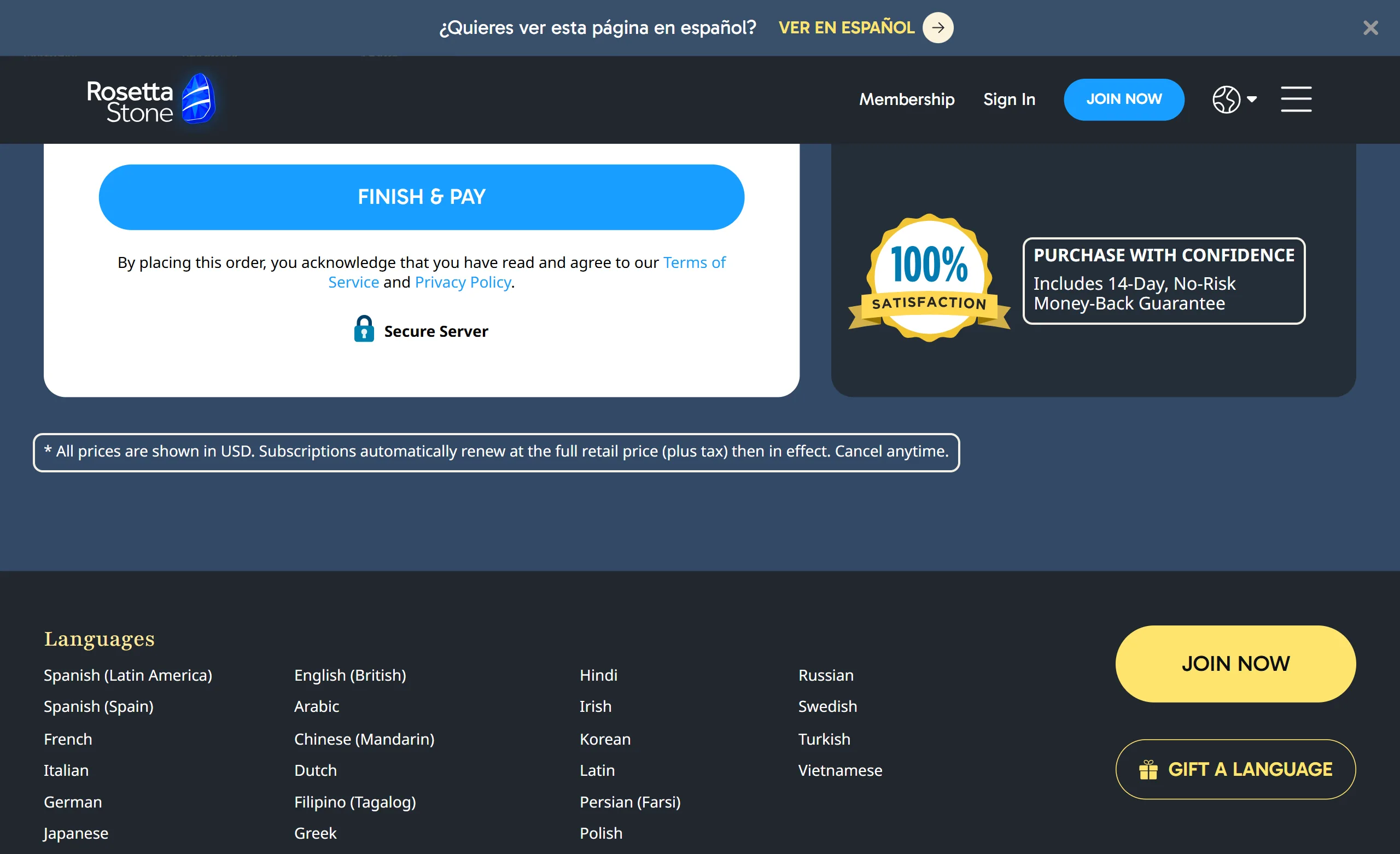
- Web checkout promises 14 days to get your money back. Renewal is at the full price in effect.
- Sapphire (sold now) and Classic (older app) are separate. Lifetime owners stay on Classic.
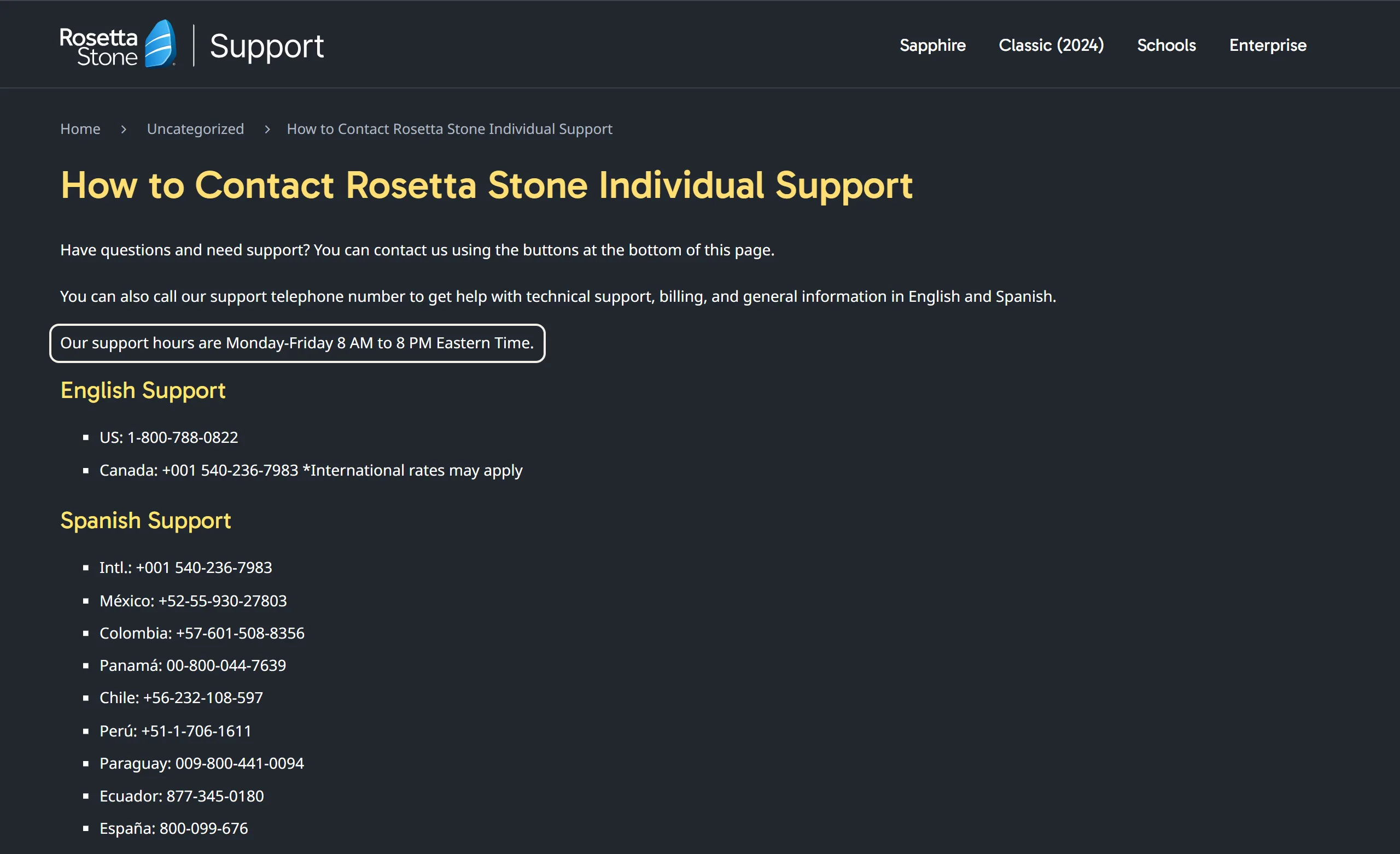
- Phone help on weekdays from 8 a.m. to 8 p.m. ET, in English and Spanish.
What we checked
- Both plans and prices on rosettastone.com from a US connection, verified 11/11/2026.
- The yearly checkout without an account, up to the card field, with a New York test address. Nothing was paid.
- The free Try a lesson path: Japanese units and the first lesson, up to the first drag-and-drop exercise.
- The help center (support hours, cancel, refunds, trial, account deletion), the privacy policy of 07/28/2026, and both apps in the US App Store.
- Not done: a paid lesson, the app trial, an answer from support, deleting an account.
How we scored Rosetta Stone
Rosetta Stone scores 7.2 out of 10, in the Worth it band. The price for 25 languages and the range of them carry it. The teaching method and a short feature list hold it back.
| Axis | Weight | Points | What the score is based on |
|---|---|---|---|
| Teaching quality | 30% | 7 (Good) | Picture-and-audio immersion with no English or grammar notes. Speech scoring leads the complaints. Not from a paid lesson. |
| Price & free plan | 20% | 9.5 (Excellent) | $13.25 a month on the yearly plan for every language, a 7-day app trial, 14 days to get a refund |
| Features | 15% | 3 of 10 | Speech feedback, Chat Missions, flashcards, Sapphire Studio. No offline lessons, placement test, or CEFR levels found |
| Ease of use | 15% | 7 (Good) | Checkout without an account. App bugs were the top complaint theme |
| Trust | 10% | 7 (Good) | Phone hours published. Refund windows disagree. Deletion is a request form |
| Language coverage | 10% | 9.5 (Excellent) | 25 languages, including Japanese, Korean, Arabic, Hindi, and Irish |
The weights and how grades turn into points are on the methodology page. Teaching quality would move most after a full course, and Trust after support answers our question.
What Rosetta Stone really costs per month
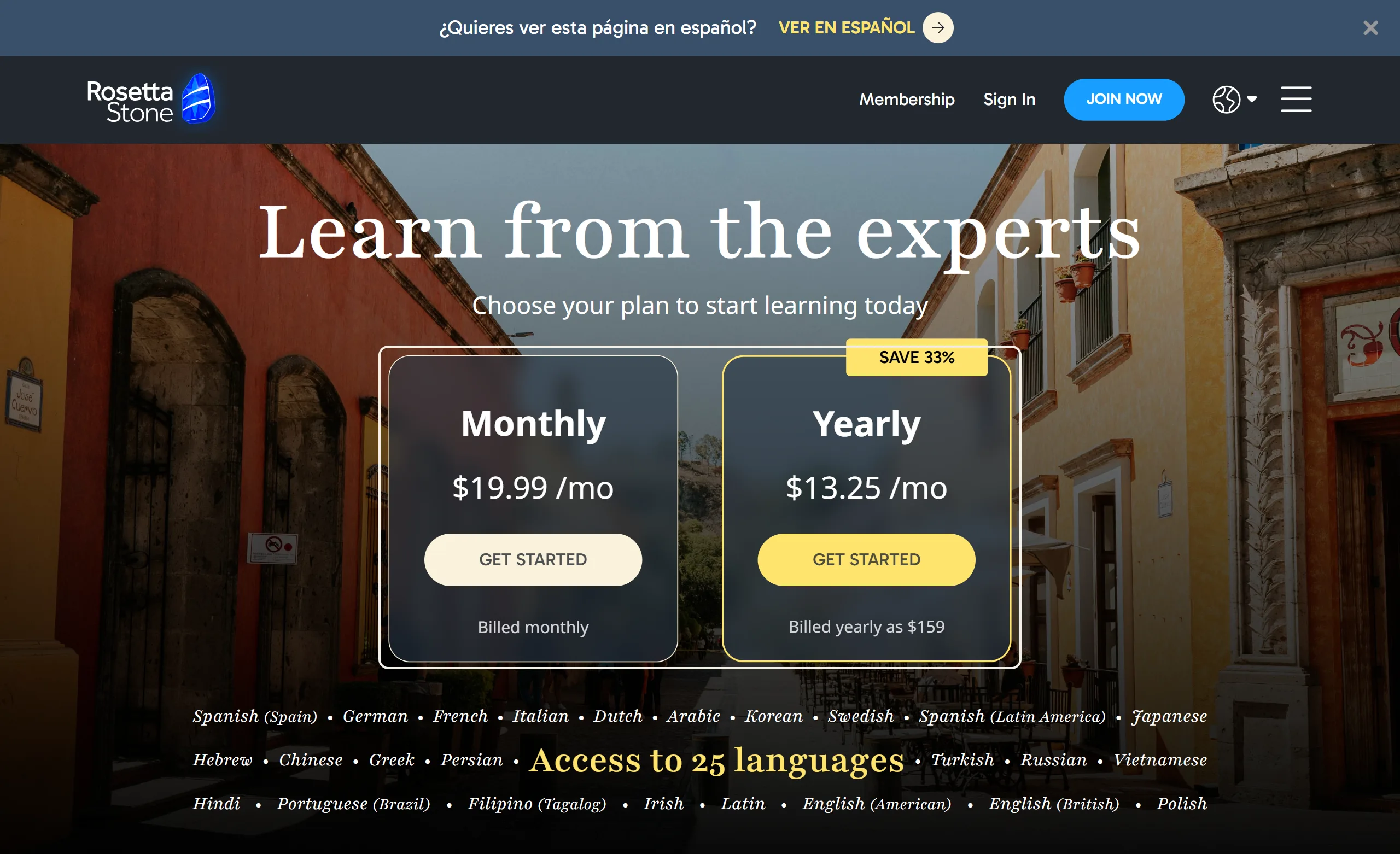
$13.25 a month, if you pay $159 up front for a year. Month to month it's $19.99. Both prices were on rosettastone.com on , checked from New York.
| Plan | You pay | Per month | Languages |
|---|---|---|---|
| Monthly | $19.99 every month | $19.99 | 25 |
| Yearly | $159 once a year | $13.25 | 25 |
At the prices, twelve months on the monthly plan come to $239.88, so the yearly plan saves $80.88 in the first year. That's the "SAVE 33%" badge on the page. There was no lifetime plan on the buy page, and no family or group plan either.
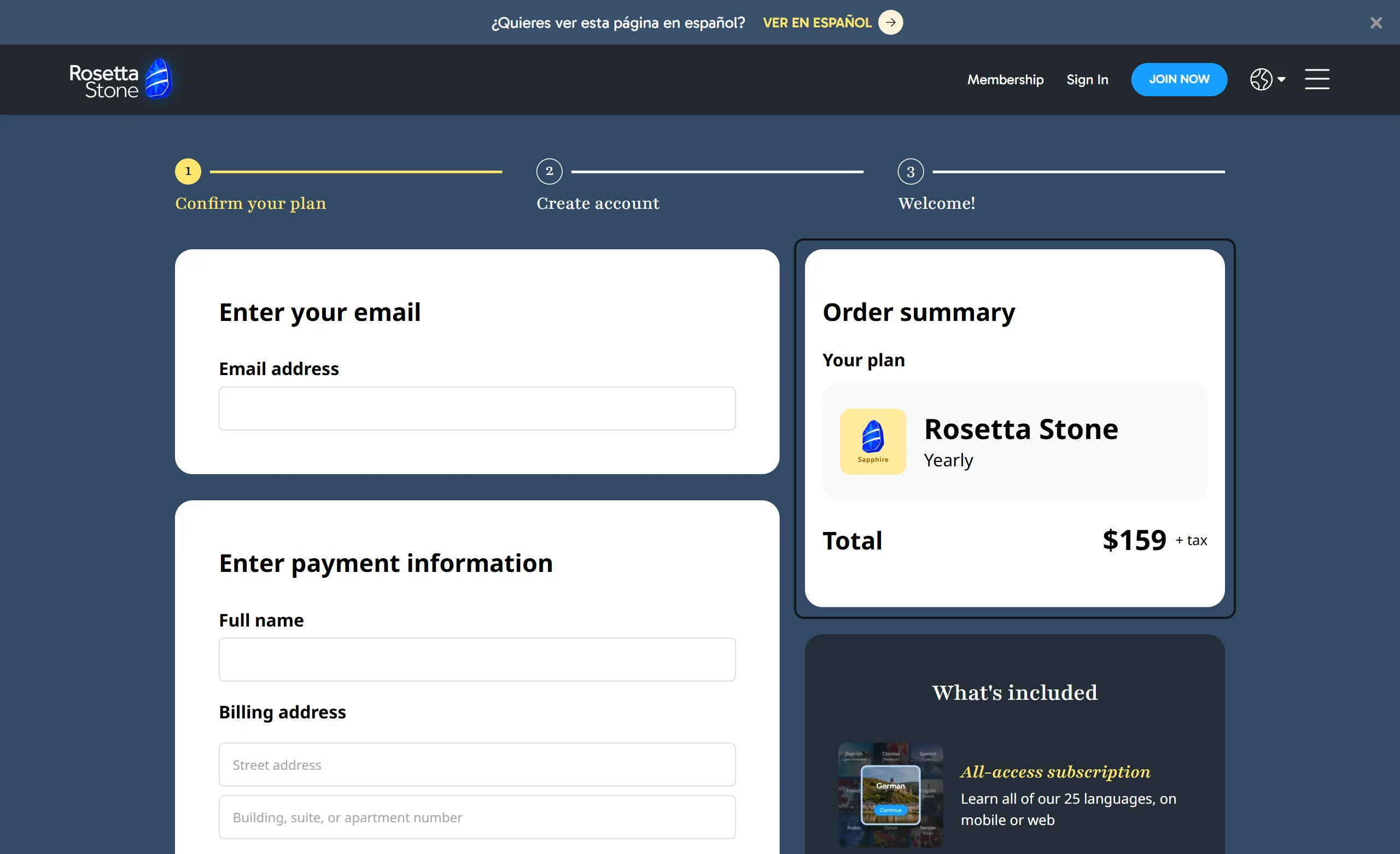
Sales tax is extra. On the order summary read "$159 + tax" even after we typed a New York address, so you see the real total only on the card step.
Year two may cost more than year one. The line under the pay button says renewals are charged at "the full retail price (plus tax)" current at that time. Buy on a sale, and the renewal comes at whatever the regular price is then.
The App Store is a separate shop with separate prices. The older Classic (2024) app sold "Unlimited Languages - 1 Year" for $109.99, single languages from $44.99 for three months, and "Spanish (Latin America) (5 Levels)" for $199.99 (US App Store, ). Those buy Classic, not Sapphire. The full price breakdown is on Rosetta Stone cost.
Our real cost per month for Rosetta Stone, at prices: $13.25 plus your state's sales tax, with nothing else to buy for the course itself.
What's in each plan
Both plans include the same things. Only the billing differs. On the membership page listed:
- The learning path: lessons taught entirely in the new language, with TruAccent speech recognition that scores your pronunciation.
- Chat Missions, for practicing real-life conversations.
- Flashcard sets on more than 500 topics.
- Sapphire Studio, which builds practice games and texts on a topic you give it.
Tutoring is not included. Rosetta Stone sells 30-minute online sessions with its own tutors in packages of 5 or 10, in all 25 languages, and only to people who already subscribe. The tutoring page didn't show a price on .
How the lessons work
Rosetta Stone calls its immersion method Dynamic Immersion: no translations, no English explanations. You hear native speakers, see a word or sentence, and match it to a picture. Each unit is a topic, each lesson a smaller topic, and activities train reading, writing, listening, and speaking. If you can't talk out loud, a lesson can continue without the microphone.
In the Rosetta Stone language app and on the web, the path opens with basic vocabulary. The first Japanese unit, for example, covers basic sentences, everyday items, colors and sizes, and clothing, so the course is built for beginners rather than for people brushing up.
People split on this. Reviewers who like it call it natural. Those who don't describe guessing what a picture means and getting no grammar. Both are fair readings of the same design.
Rosetta Stone Sapphire vs Classic
Two products, sold separately. Sapphire is what the website sells today: the $19.99 and $159 plans above. Classic (2024) is the older app, still in the App Store with its own in-app plans.
The split matters most to people who bought a lifetime license. The help center says lifetime means access to the products you bought only while Rosetta Stone keeps them available and supported. That's Classic. In the App Store reviews we coded on , lifetime owners who found Sapphire behind a new subscription were the largest group of complaints about the Sapphire app.
Free plan or free trial: what you actually get
A short trial and a small free preview, not a free plan. According to the help center (checked ):
- On the web, with no account, you can browse the whole curriculum, do a limited amount of practice each day, and use up to 10 flashcards a day.
- In the app, a free account unlocks the first lesson in every language.
- The Sapphire app has a one-time 7-day free trial with full access. It rolls into a paid monthly plan on its own, so cancel before day 7 if you don't want $19.99 a month.
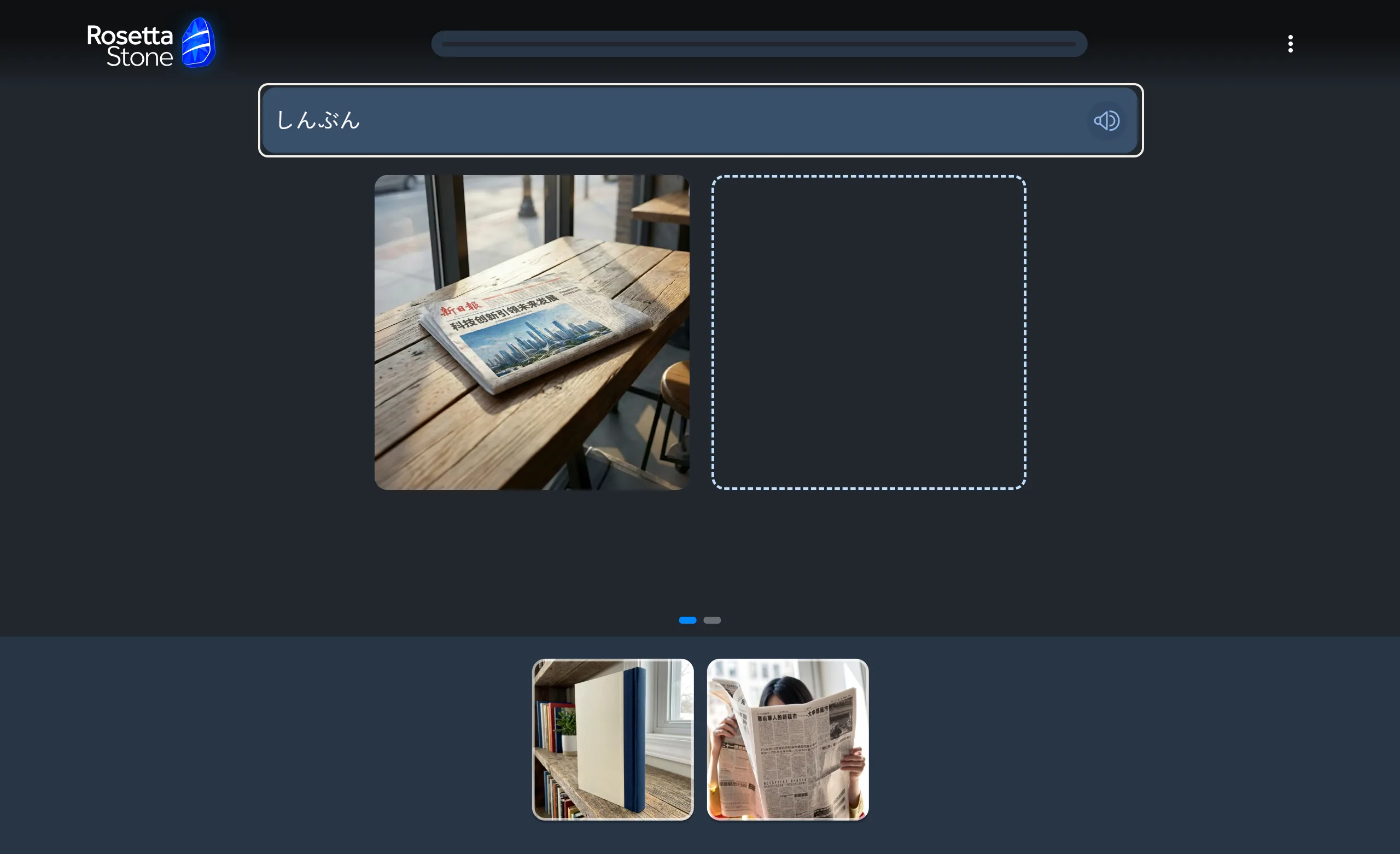
The website has no trial: you pay first, and the account is created after payment. We opened a free lesson without signing in, and it worked: a microphone check, then a word card with audio, then a picture to drag into place.
The full breakdown of free options is on Rosetta Stone free trial.
Cancellation and refunds (web vs App Store and Google Play)
You cancel where you paid. For Sapphire bought on rosettastone.com: sign in on the web, open Account settings from the profile icon, choose Manage subscription, then Cancel subscription. App Store and Google Play plans are canceled in the store's subscription settings.
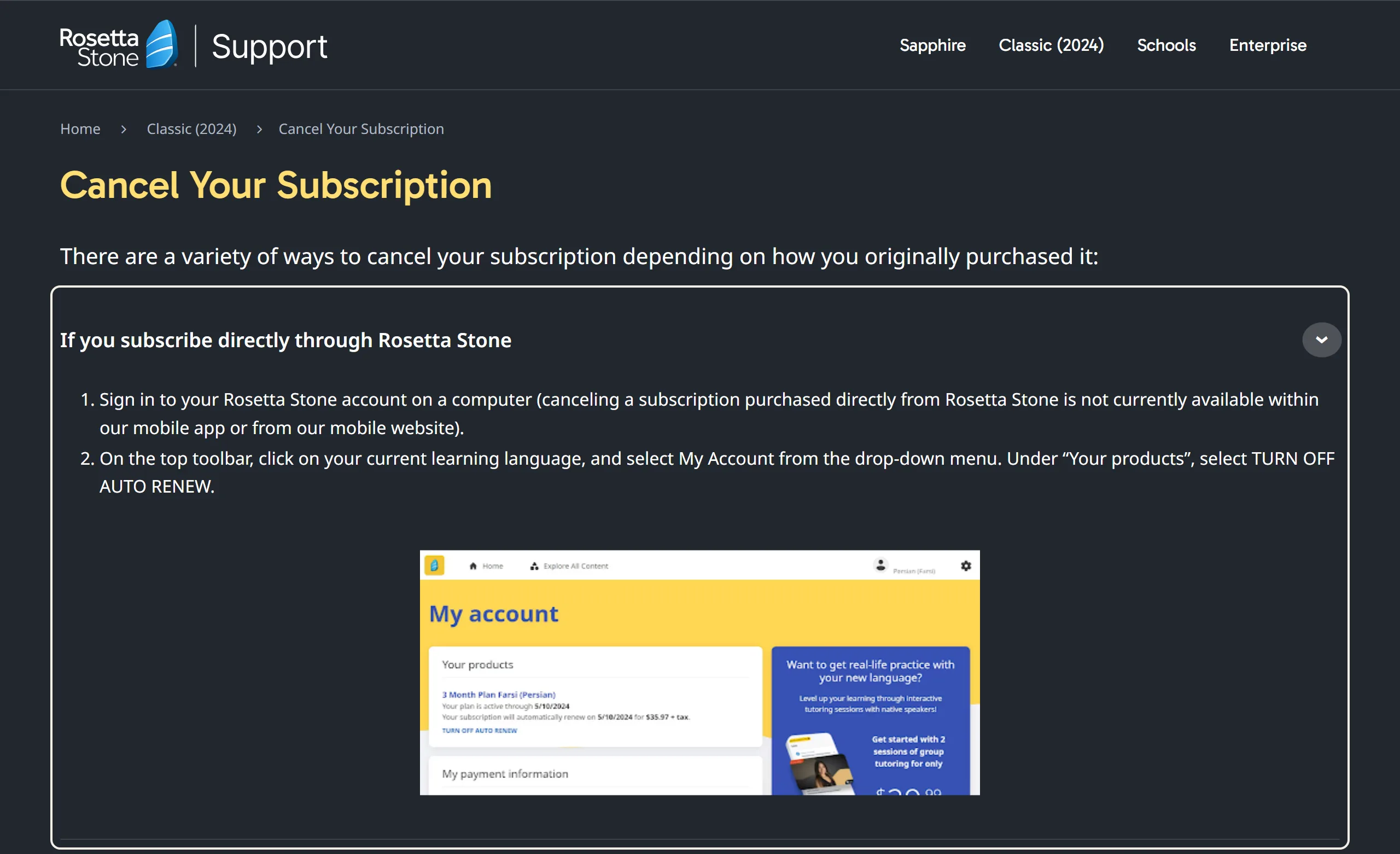
Classic is stricter. Its help page, updated , says a plan bought from Rosetta Stone can be canceled only from a computer: the app and the phone browser version of the site can't do it for now. You go to My Account and press Turn off auto renew.
The refund window depends on which page you read. The Sapphire checkout on promised a "14-Day, No-Risk Money-Back Guarantee." The help article on returns, written for Classic, gives web subscriptions 30 days for a refund. For a Sapphire plan, count on 14 days.
Refunds go through support. App Store purchases are refunded by Apple under its own rules. For Google Play purchases, Rosetta Stone says it can issue the refund itself by email.
Languages offered and how deep each course goes
25 Rosetta Stone languages, all in one plan. Grouped by region, as listed on . Europe: French, German, Italian, Spanish (Spain), British English, Dutch, Greek, Irish, Polish, Russian, Swedish, and Latin. The Americas: Spanish (Latin America), Portuguese (Brazil), and American English. Asia and the Middle East: Japanese, Korean, Chinese (Mandarin), Vietnamese, Filipino (Tagalog), Hindi, Arabic, Hebrew, Persian (Farsi), and Turkish.
How deep each course goes isn't published as CEFR levels. We found none on the site or in the help center. Unit counts are the best measure we have. The Japanese path had 12 units on , from Language Basics to Places and Events. The Spanish (Latin America) path had 20 units when we counted on , so courses are not the same length.
Rosetta Stone Japanese starts in kana with audio and pictures, with no English on the screen. Unit 1 has six parts: Basic sentences, Everyday items, Colors and sizes, Clothing and quantities, a Review, and a Milestone. That's a solid start for a beginner's listening and reading, but nothing in the lesson explains why a sentence is built the way it is.
For Korean and the rarer languages, such as Irish, Persian, or Vietnamese, the draw is that few other apps teach them in a full course. We didn't count units for Korean.
Rosetta Stone for English is a real option for Spanish speakers in the US: the course comes in American and British English, and phone support answers in Spanish.
Your data: what Rosetta Stone collects and how to delete your account
The privacy policy, effective , covers the usual account and payment data, plus your voice. Rosetta Stone keeps the right to record and use the text and speech you send through the service, which includes speaking exercises. Its AI features run in part on third-party AI providers under their own terms. Depending on your state, some advertising cookies count as "selling or sharing" personal data, and US residents get an opt-out page. The site also honors GPC browser signals where required.
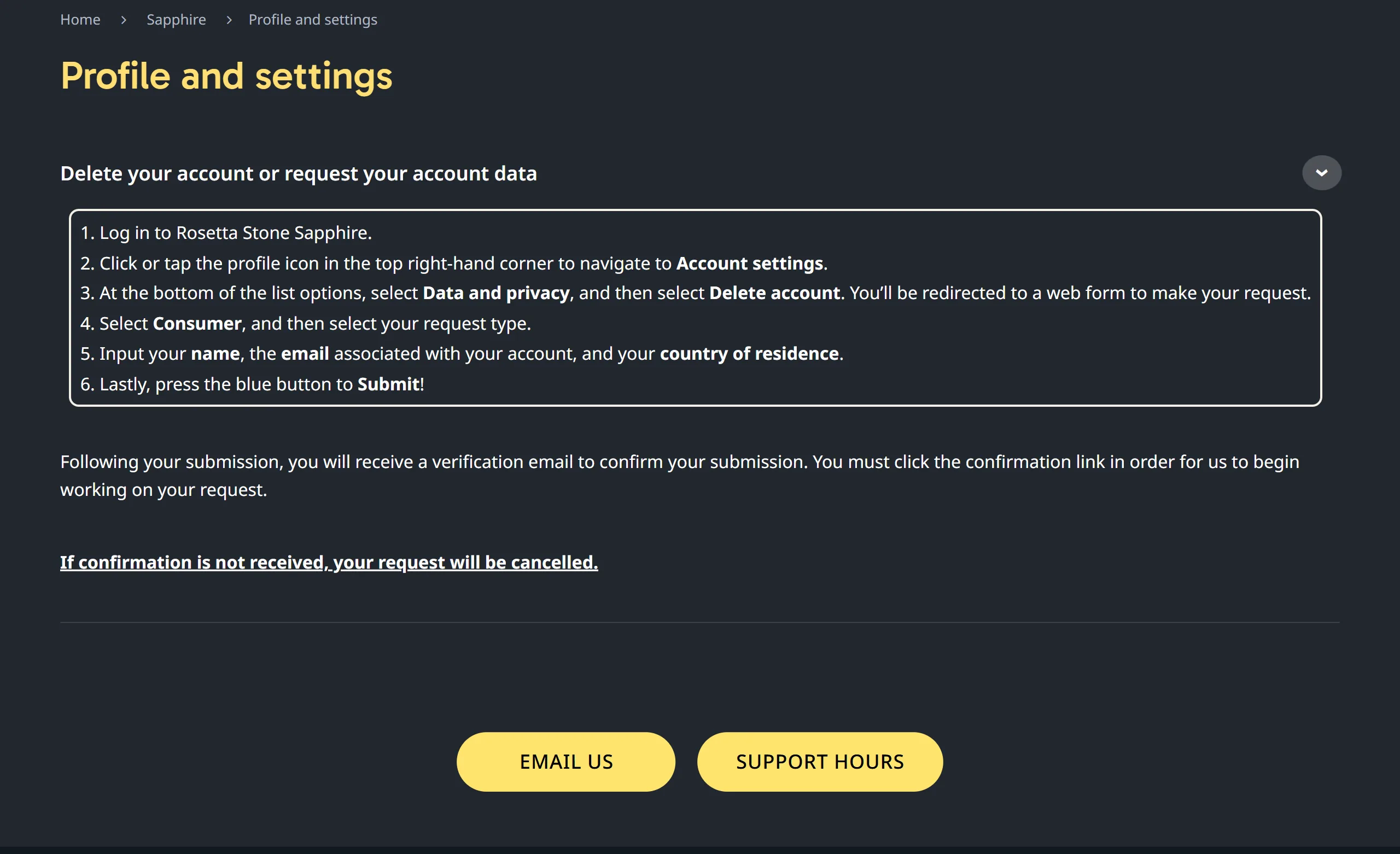
Deleting your account is a request, not a button. In Sapphire you go to Account settings, then Data and privacy, then Delete account, which opens a web form for your name, email, and country. A confirmation email follows, and if you don't click it, the request is canceled. The policy adds that some data may be kept "as required or permitted by applicable law."
Support: channels, hours, and how they answered us
Phone and email, with hours on the page: weekdays from 8 a.m. to 8 p.m. ET, at 1-800-788-0822 in the US. Support handles technical, billing, and general questions in English and Spanish, and lists separate numbers for Mexico, Colombia, Chile, Peru, Spain, the UK, and other countries.
We sent our standard question through the web form on : can I switch to a different language without paying again? A reply came about 6 hours later, but it skipped the question. Support found no membership under our email and asked for card details to search further, so we have a reply time and no answer.
What we saw inside Rosetta Stone
The checkout is short and open. From the buy page we reached the payment form without an account: email, then name and address, then a card. The progress bar has three steps: Confirm your plan, Create account, Welcome. The account is made after you pay, and the email you pay with becomes your login. On the checkout took a card, PayPal, or Google Pay. We stopped before paying.
The free lesson shows the method in a minute. The Japanese lesson opened with a choice, Enable microphone or Continue without speaking, then a card with a word in kana and an audio button, and two pictures to choose from. We couldn't get past the drag-and-drop step with our browser tools, so we didn't see the speech scoring at work.
Who should pick Rosetta Stone (and who shouldn't)
Is Rosetta Stone good for learning languages? For a certain kind of learner, yes.
- ✓ You learn well by listening and matching, without English
- ✓ You want Japanese, Korean, Arabic, or a rarer language in a full course
- ✓ You'd like to try several languages on one plan
- ✓ You want phone support with set hours
- ✕ You want grammar rules explained in English
- ✕ You need lessons offline
- ✕ You own a lifetime Classic license and expect Sapphire
If explained grammar matters more than the number of languages, compare the best language learning apps on the same axes.
What other users say
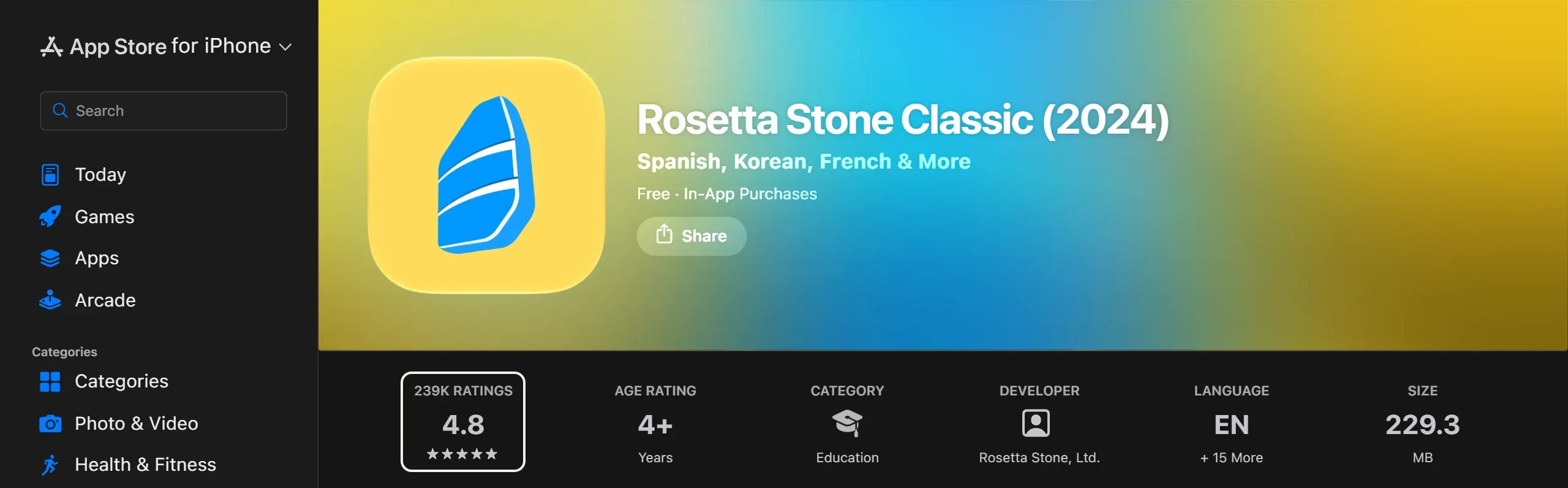
Users rate both apps highly in the stores. In the US App Store on , Classic (2024) had 4.8 stars from 239K ratings, and Sapphire had 4.6 from 2.3K. On Google Play, Sapphire had 4.6 from 1.03K reviews on .
The low ratings tell a narrower story. On we read the 50 newest one- and two-star App Store reviews of each app, posted to , and coded 97 of them by theme.
| Theme | Reviews | Share |
|---|---|---|
| App bugs (34 about speech recognition) | 43 | 44% |
| Billing and auto-renew (lifetime access) | 30 | 31% |
| Content quality | 21 | 22% |
| Support | 1 | 1% |
| Cancellation | 1 | 1% |
| Refund | 1 | 1% |
The shares describe our sample, not all users, and we didn't verify individual complaints. Classic reviewers wrote most about speech recognition. Sapphire reviewers wrote most about lifetime access and, less often, about AI-made images in lessons. In their own words:
- "Bait and switch for lifetime holders," a Sapphire review title from .
- "I pronounce the words correctly and the voice recognition marks it incorrectly even if it is in a quiet environment," a two-star review from .
- "For 160 dollars I was expecting to be able to download the lessons to use while traveling," a review from , which added that the app needs an internet connection.
Alternatives
For explained grammar in a European language, the closest pick is Babbel: it teaches 13 languages for $107.40 a year (), $51.60 less than Rosetta Stone's yearly plan, and its lessons explain rules in English. The Babbel review has the details, and Rosetta Stone vs Babbel puts the two side by side. If you prefer a course you can follow by ear, see how Rosetta Stone compares with Pimsleur. For a live teacher in Japanese, Korean, or Arabic, the italki review compares tutor prices by language.
Common questions
Is Rosetta Stone legit?
Yes. It's a paid course from Rosetta Stone LLC with a published privacy policy, phone support, and refund rules, and on its Classic app had 4.8 stars from 239K ratings in the US App Store. The complaints are about the product, not fraud: speech scoring that rejects correct answers, and lifetime owners who don't get the new Sapphire app.
Is Rosetta Stone good for Spanish?
For a beginner who likes learning by ear, yes. You choose Spanish (Latin America) or Spanish (Spain). The Latin American path had 20 units in our check. There are no grammar notes in English, so if you want conjugations explained, a course like Babbel fits better.
Is Rosetta Stone good for Japanese?
As a start, yes. The Japanese path had 12 units on , and the first lesson shows words in kana with audio and pictures, with no English. It won't explain grammar, so plan to add a tutor or a textbook.
How much does Rosetta Stone cost?
On the US website, $19.99 a month or $159 a year ($13.25 a month), plus sales tax, checked . Both plans include all 25 languages. The older Classic app sells its own plans in the App Store, such as $109.99 for a year of unlimited languages.
Is there a free version of Rosetta Stone?
Not a free plan. Without paying you get a limited daily lesson preview and 10 flashcards a day on the web, plus the first lesson of each language in the app. The Sapphire app has a one-time 7-day trial that turns into the monthly plan ($19.99 on ) unless you cancel.
How do I cancel Rosetta Stone?
Cancel where you paid. A Sapphire plan bought on the website is canceled on the web under Account settings, Manage subscription. Classic plans bought from Rosetta Stone can only be canceled on a computer. App Store and Google Play plans are canceled in the store.